
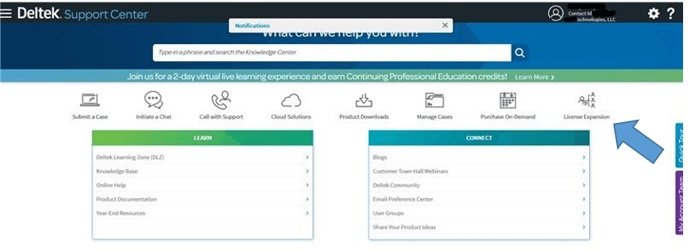
- Log in to the Deltek Support Center*
- Select the License Expansion icon from the menu page
- Eligible products for expansion will be presented
- Select the product that you would like to expand and the additional quantity of licenses you would like to request
- Select Complete Order option
Within one business day, you will be contacted by email regarding your expansion request. Your expansion order will be billed on future invoices.
If License Expansion isn't an option, contact Cathy Locke (cathy.locke@premierconsultingllc.com). She will work with the Deltek Customer Success Manager assigned to the Customer to obtain the license expansion.
Notify Cathy Locke (cathy.locke@premierconsultingllc.com) on any license expansion so that PCI credit can be obtained!